

Description
RankReady is a WordPress plugin built for the AI search layer — the answers ChatGPT, Perplexity, Claude, Gemini, and Google AI Overviews show before anyone reaches a blue link. Drop it in alongside your existing SEO plugin (Rank Math, Yoast, AIOSEO — any of them) and start showing up in AI answers and citations. No conflicts. No replacement. Zero frontend bloat.
Visit the official RankReady page
Traditional SEO plugins optimize for Google’s classic results. RankReady adds the layer above them: the AI SEO signals — llms.txt, FAQ schema, Markdown endpoints, AI crawler controls — that decide whether AI engines read and cite your content. This is generative engine optimization (GEO) and answer engine optimization (AEO) for WordPress, built to work with the SEO plugin you already use.
A quick walkthrough of the whole plugin.
Built by POSIMYTH Inc. — the team behind The Plus Addons for Elementor, NexterWP, and UiChemy.
Coexists with your SEO plugin — zero frontend impact
Install RankReady, optionally pick an LLM provider (OpenAI, Anthropic, Gemini, or DeepSeek) for the AI Summary and FAQ generators, and you’re set. It auto-detects your active SEO plugin and never emits duplicate schema — your existing Yoast or Rank Math setup keeps working exactly as before. All AI generation runs in the WordPress admin, so there are no API calls on page load, no third-party scripts, and no extra requests for your visitors. Core Web Vitals are unaffected.
llms.txt — the AI-native sitemap
RankReady serves the llmstxt.org standard at /llms.txt (a curated index of your best content) and /llms-full.txt (the full content concatenated as Markdown). AI crawlers read these files first to understand your site. Configurable post types, max post count, category and tag exclusions, and a per-domain brand identity (site name, summary, about section) you control from the AI Crawlers tab. Multilingual sites get hreflang Link headers when WPML, Polylang, TranslatePress, Weglot, or GTranslate is detected.
AI Summary generator with Speakable schema
Generate “Key Takeaways” for any post or page via your chosen LLM (OpenAI, Anthropic Claude, Google Gemini, or DeepSeek). The summary injects above your content as a styled block with Speakable schema — the JSON-LD that voice assistants read aloud. Use the Regenerate button in the post editor, the Gutenberg block, or the Elementor widget. Unlimited manual generations.
FAQ schema generator with DataForSEO
A strong signal for AI Overviews. RankReady can query DataForSEO for the real “People Also Ask” questions ranking for your post’s focus keyword, then has your chosen LLM write the answers. Output is FAQPage JSON-LD — the structured data Google AI Overviews and Perplexity frequently cite over plain article text. Don’t use DataForSEO? Type your own questions and let the LLM answer them. Unlimited manual generations. Setup guide in the FAQ section below.
Author Box with basic E-E-A-T schema
E-E-A-T (Experience, Expertise, Authoritativeness, Trustworthiness) is what AI models use to decide which sources to trust. RankReady ships a basic Author Box — name, job title, employer, bio, headshot, and basic sameAs links — with Article, Speakable, and FAQPage schema. It auto-detects Rank Math, Yoast, and AIOSEO and skips duplicate output. Display it anywhere via the Gutenberg block or the Elementor widget.
Markdown endpoints for AI agents
Every published post and page is served as clean Markdown at /post-slug.md with YAML frontmatter (title, author, dates). AI agents — Claude Desktop, Cursor, ChatGPT, custom clients — read Markdown faster than HTML. Content negotiation via Accept: text/markdown lets crawlers fetch the format they prefer with no URL changes.
MCP via the WordPress Abilities API
RankReady registers read-only abilities with the Model Context Protocol through the WordPress Abilities API (wp_register_ability()). On WordPress 7.0 these are surfaced by the official MCP Adapter — no bundled MCP server, no extra service to run.
Insights — AI referrals, bot activity, freshness
The Insights tab gives you real, server-side analytics with no third-party scripts:
- Training & Citation Bots — Which AI crawlers fetched which pages (GPTBot, ClaudeBot, PerplexityBot, OAI-SearchBot, Google-Extended, and more). Each citation-bot hit is a live AI answer that retrieved your page.
- Real AI Referrals — Humans clicking through from chatgpt.com, perplexity.ai, claude.ai, gemini.google.com, and copilot.microsoft.com, tracked via the HTTP Referer header.
- Content Freshness scanner — Buckets posts into Stale, Going stale, and Fresh, with one-click
dateModifiedrefresh to signal recency to AI crawlers.
All counts are stored locally in your own tables — never sent to POSIMYTH.
31 AI crawler controls + auto robots.txt
Granular allow/block toggles for 31 AI bots: GPTBot, ChatGPT-User, OAI-SearchBot, ClaudeBot, Claude-Web, anthropic-ai, PerplexityBot, Perplexity-User, Google-Extended, Bytespider, CCBot, FacebookBot, Meta-ExternalAgent, Applebot-Extended, DuckAssistBot, YouBot, AI2Bot, Diffbot, Cohere-ai, Kagibot, and more. Auto-syncs your choices to robots.txt — both the WordPress virtual robots.txt and a physical ABSPATH/robots.txt if another plugin intercepts the URL. Plus Content Signals (ai-train, search, ai-input directives per contentsignals.org).
Cache compatibility + Diagnostics
RankReady persists cache-bypass entries to each cache plugin’s stored configuration so server-level caches honour the bypass before PHP runs — tested with WP Rocket, LiteSpeed Cache, W3 Total Cache, WP Super Cache, WP Fastest Cache, Breeze, SG Optimizer, Hummingbird, Cache Enabler, Comet Cache, Swift Performance, NitroPack, Perfmatters, Cloudflare APO, Pantheon, Kinsta, and WP Engine. The Diagnostics card runs live endpoint probes, detects active SEO plugins, checks rewrite rules and REST routes, scans for cache conflicts, and gives you a one-click plain-text report for support — every failure ships with a one-line fix.
Coming soon
A companion add-on (in development) will layer advanced AI SEO automation on top of the free build:
- Auto-generate AI Summaries and FAQs on publish
- Bulk-generate summaries and FAQs across your whole library
- HowTo and ItemList JSON-LD
- Advanced Person / E-E-A-T schema (credentials, education, certifications, memberships, awards, Wikidata / ORCID / Scholar / LinkedIn, editorial & fact-check policies, Author Trust Panel)
- Custom post type support beyond posts and pages
- Headless / WPGraphQL API for decoupled front ends
These appear as “Coming soon” placeholders in the plugin and ship no code in the free build. Everything listed above the “Coming soon” heading is fully free, with no caps on manual generation.
More Plugins from POSIMYTH
RankReady is part of the POSIMYTH Innovations product family. If you build WordPress sites, you’ll probably want these too:
- The Plus Addons for Elementor — 120+ premium Elementor widgets with Smart Animations, Carousels, and advanced filters. Powers 500,000+ sites.
- Nexter Blocks – Theme & Extension — The fast, AI-ready Gutenberg block library and theme framework. Built for Core Web Vitals.
- UiChemy – Figma to WordPress — Convert any Figma design into responsive Elementor or Gutenberg layouts in one click. No code.
- WDesignKit — A growing library of pre-built websites, pages, blocks, and templates for Elementor and Gutenberg.
- SproutOS — The AI-native content operating system. Plan, draft, brief, and publish at scale.
Privacy & Third-Party Services
RankReady is privacy-respecting by default. POSIMYTH does not collect, store, or transmit any data from your site. No telemetry. No analytics. No “phone home”. Your API keys are stored only in your own wp_options table.
The plugin contacts third-party services only when you explicitly enter API credentials AND trigger a generation action. Each service is opt-in and uses your own API key:
- OpenAI (Terms of Use · Privacy Policy) — When you generate an AI Summary or FAQ with OpenAI as your provider, the post’s title and body text are sent to
https://api.openai.com/v1/chat/completionsusing your own API key. The generated response is stored as post meta on your site. Nothing is sent without an explicit click from you. - Anthropic Claude (Terms of Use · Privacy Policy) — When Anthropic is your provider, the same post text is sent to
https://api.anthropic.com/v1/messagesusing your own API key. Same opt-in trigger; same one-shot use. - Google Gemini (API Terms · Privacy Policy) — When Gemini is your provider, the same post text is sent to
https://generativelanguage.googleapis.com/v1beta/models/<model>:generateContentusing your own API key. - DeepSeek (Terms of Use · Privacy Policy) — When DeepSeek is your provider, the same post text is sent to
https://api.deepseek.com/chat/completionsusing your own API key. - DataForSEO (Terms of Service · Privacy Policy) — When you trigger the FAQ Generator, the post’s focus keyword is sent to
https://api.dataforseo.com/v3/serp/google/organic/live/advancedusing your own DataForSEO Login plus Password. Only the keyword string is sent, not the article text. Discovered questions are stored as post meta on your site.
No other endpoints are contacted. The plugin never sends any data on its own initiative — every outbound request is the direct result of an administrator action.
Screenshots
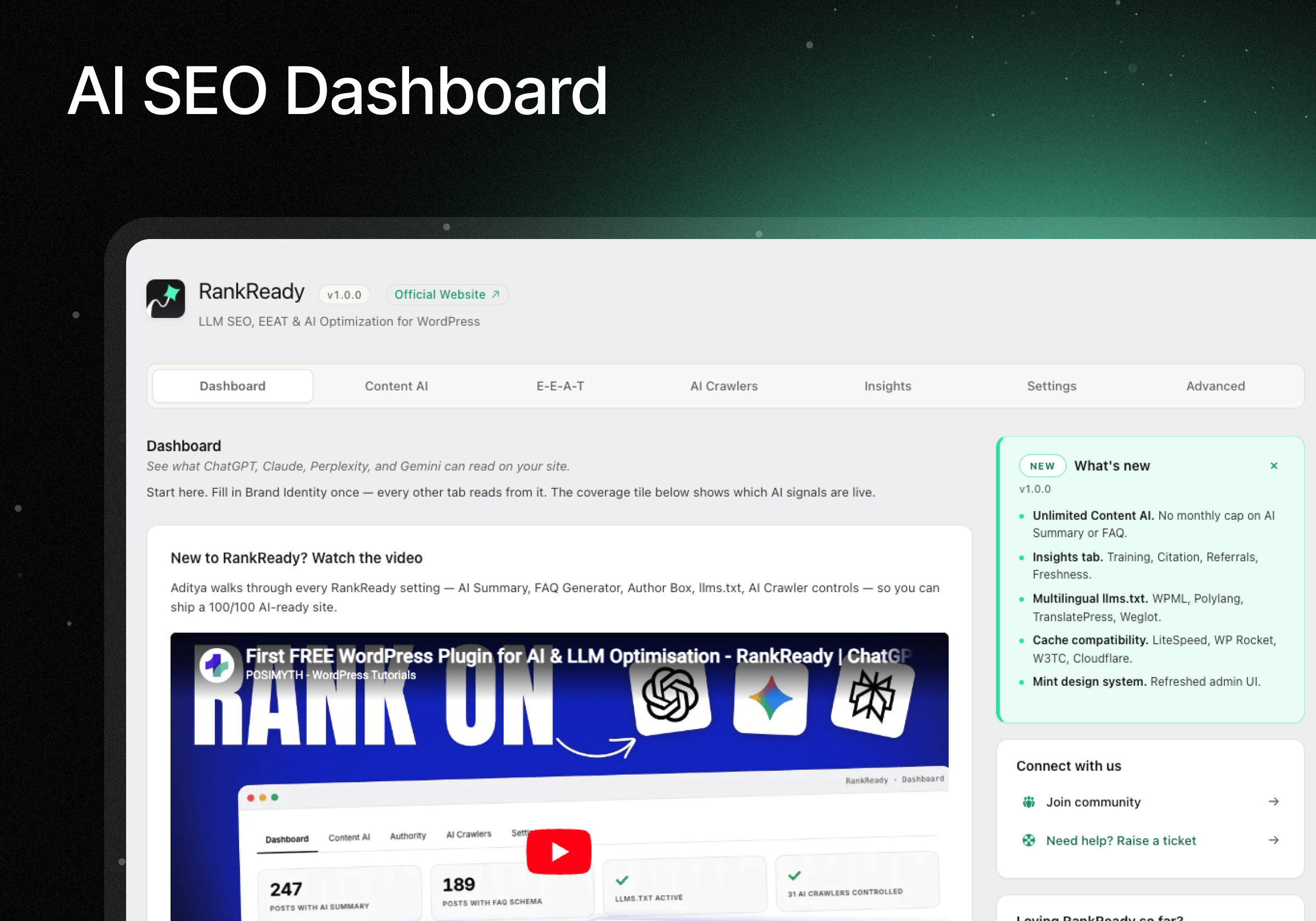
AI SEO Dashboard for WordPress — AI Readiness score at a glance, quick-navigation tiles, persistent right sidebar with What’s New, community links, and a 5-star rating widget. 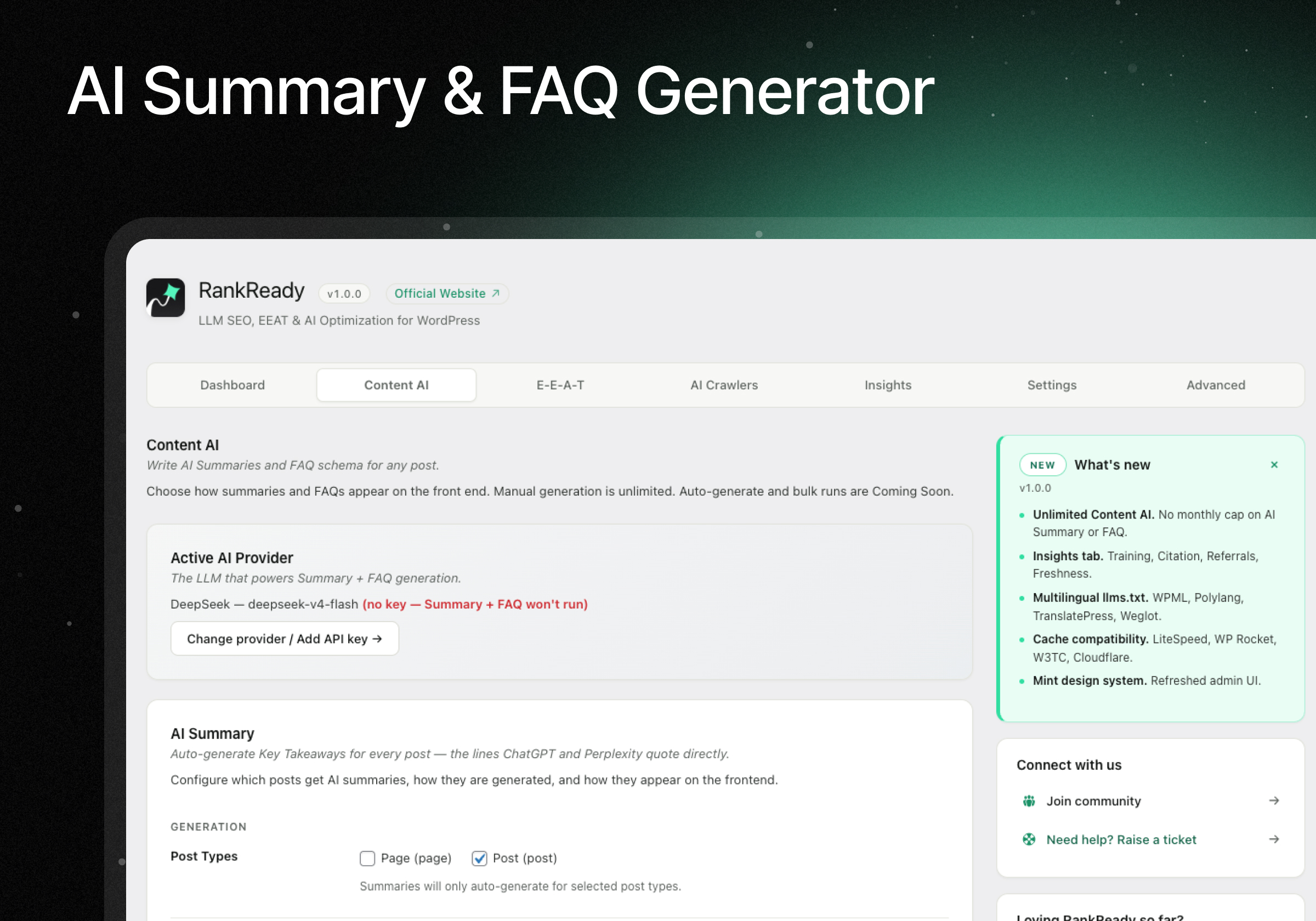
AI Summary & FAQ Generator — Pick your LLM provider and generate Key Takeaways summaries and FAQPage schema for any post or page, with unlimited manual generation. 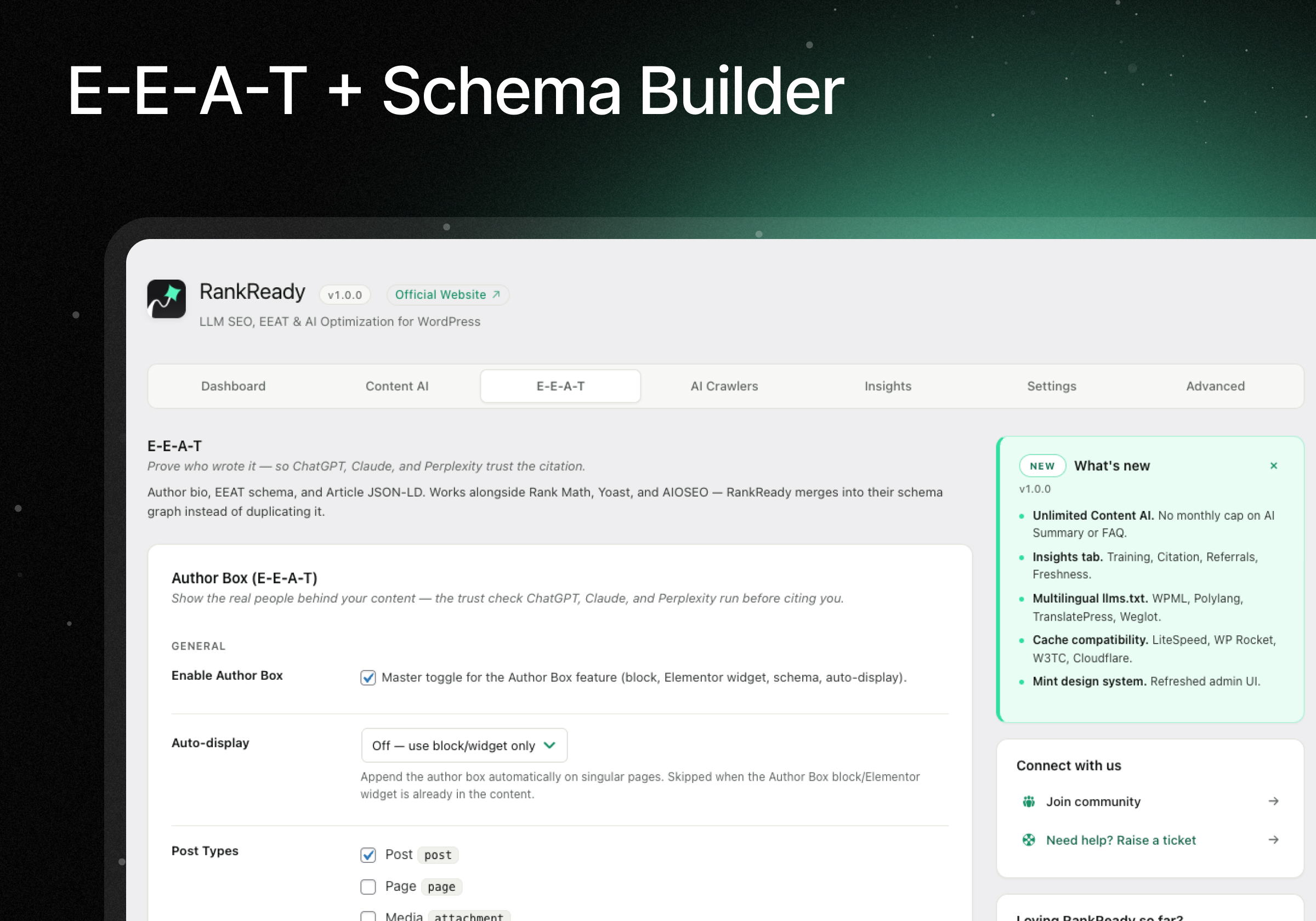
Author Box & Schema — Basic Author Box (name, job title, employer, bio, headshot) plus Article, Speakable, and FAQPage JSON-LD that coexist with Rank Math, Yoast, and AIOSEO. 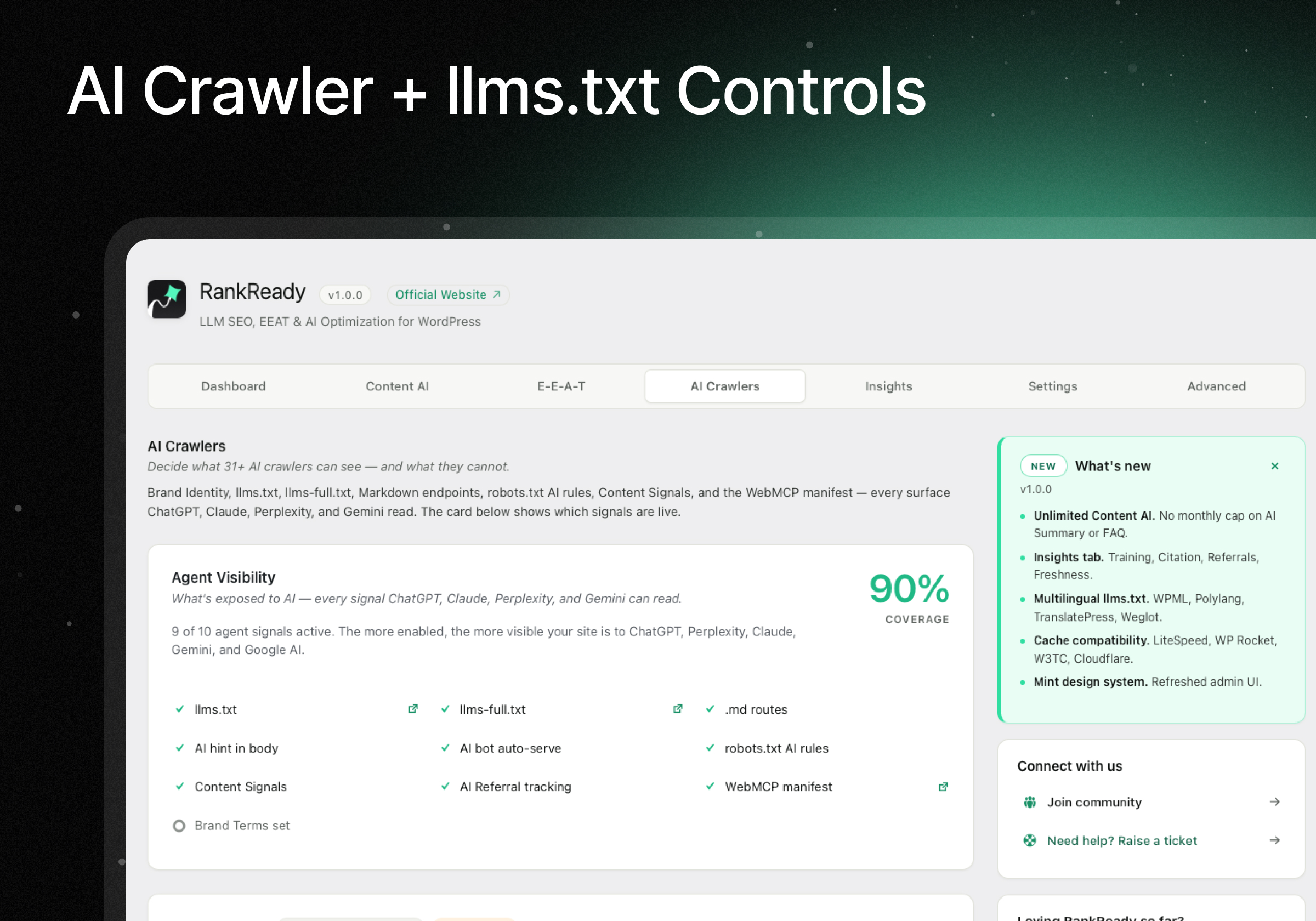
AI Crawler Controls + llms.txt Generator — 31-bot allow/block matrix with Markdown endpoints and Content Signals directives auto-synced to robots.txt. 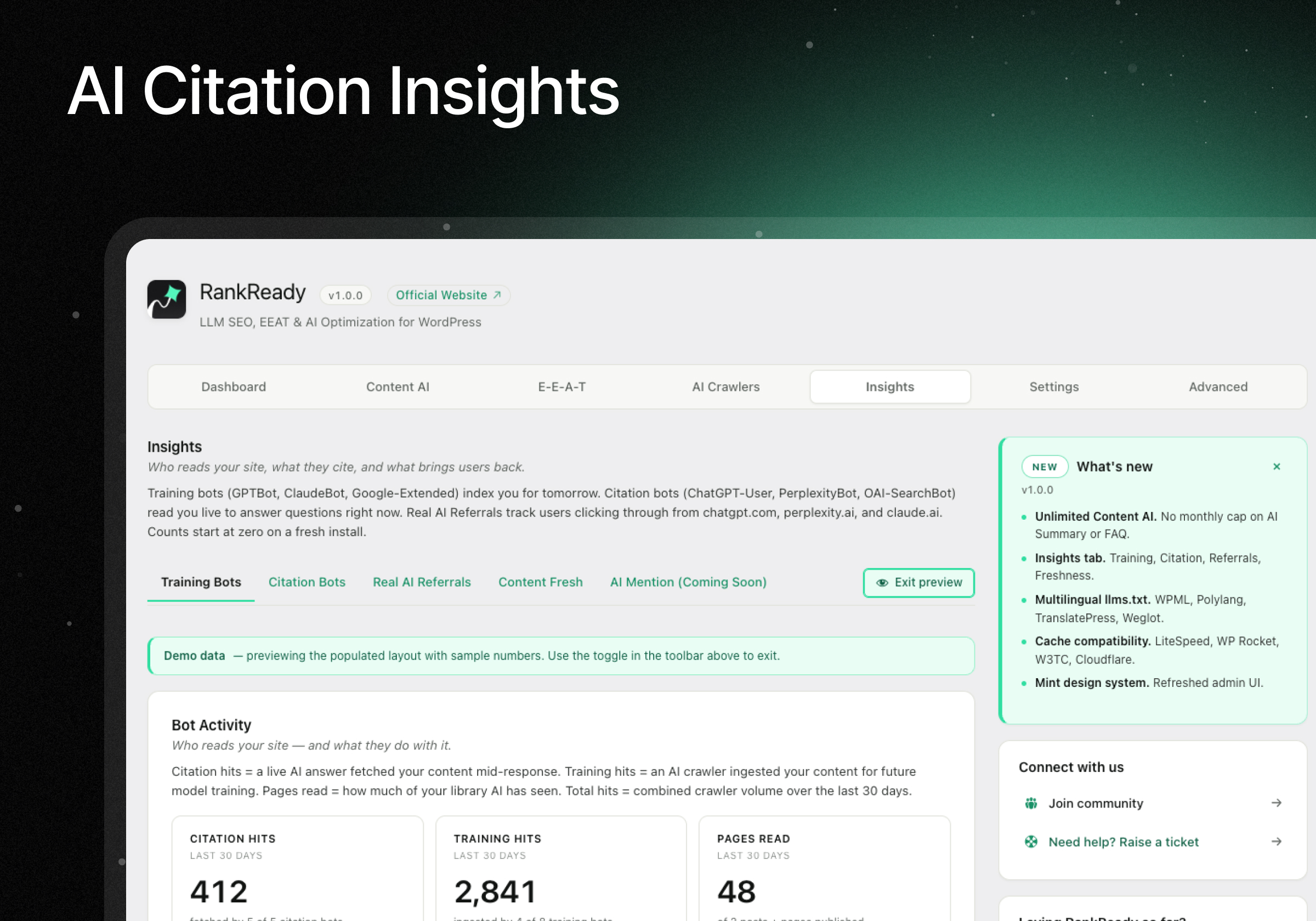
AI Citation Tracking & Bot Insights — Bot Activity, AI Citation Candidates, Real AI Referrals, and Content Freshness scanner. 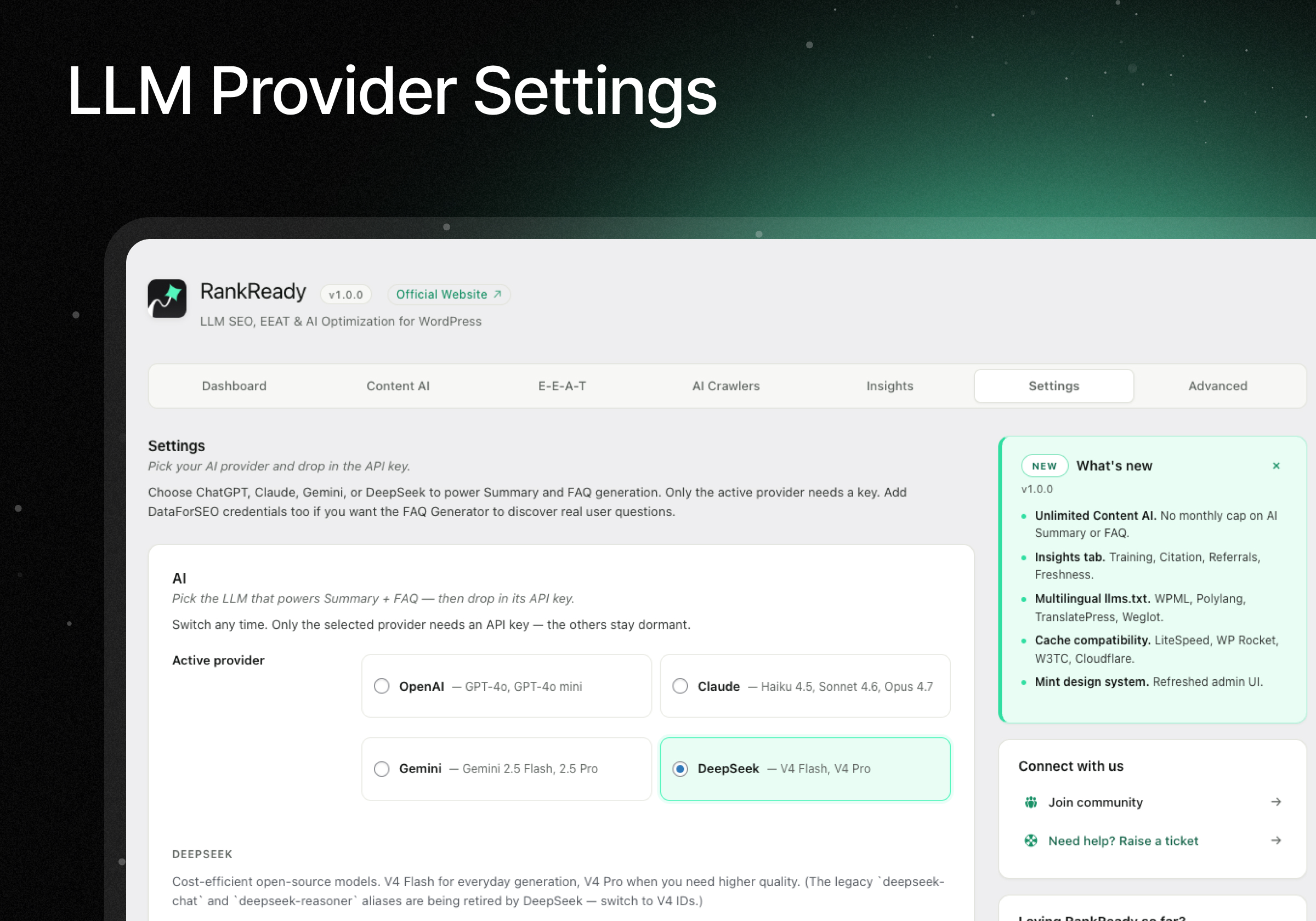
Connect OpenAI, Claude, Gemini & DataForSEO — Single-screen config for all four LLM providers plus DataForSEO credentials and live Diagnostics endpoint probes.
Blocks
This plugin provides 3 blocks.
- Author Box — RankReady
- FAQ — RankReady
- AI Summary — RankReady
Installation
Easy install (recommended)
- In WordPress admin, go to Plugins Add New.
- Search for “RankReady”.
- Click Install Now, then Activate.
- Visit RankReady in the admin menu.
- Add your AI provider API key (OpenAI, Anthropic, Gemini, or DeepSeek) in the Settings tab.
- Optionally enable llms.txt, Markdown endpoints, and AI crawler controls in the AI Crawlers tab.
Manual install
- Download the plugin zip from WordPress.org.
- Go to Plugins Add New Upload Plugin and select the zip.
- Activate, then follow steps 4 to 6 above.
After install
- Visit your site at
/llms.txtto confirm the llms.txt file is being served. - Open any post and use the AI Summary meta box to generate your first summary.
- Add the RankReady Author Box Gutenberg block (or Elementor widget) to a post to display the author bio.
FAQ
-
Will RankReady conflict with Rank Math, Yoast, or AIOSEO?
-
No. RankReady is designed to work alongside Rank Math, Yoast, All in One SEO, SEOPress, SEO Framework, and Slim SEO. Before injecting any schema, it checks if another schema-generating plugin is active. If yes, it skips its own output or merges fields into the existing schema graph via documented filters. Verifiable with Google’s Rich Results Test — no duplicate Article, Person, or FAQPage nodes.
-
How does RankReady actually work?
-
Three layers: (1) it serves discovery files (
/llms.txt,/llms-full.txt,/post-slug.md) that AI crawlers read to find your content faster; (2) it adds AI-specific schema (FAQPage, Speakable, Article JSON-LD) that AI engines cite; (3) it gives you controls over which AI bots see your content, plus Insights analytics on which ones already do. It also registers read-only MCP abilities through the WordPress Abilities API so AI agents can discover your content. -
Will this slow down my site?
-
No. All AI generation happens in the WordPress admin (not on page load). Schema and discovery headers add a few hundred bytes per page. The llms.txt and robots.txt files are cached via a 10-minute transient with
stale-while-revalidate. Page Speed Insights and Core Web Vitals: unaffected. -
Do I need an AI provider API key?
-
Only if you want to use the AI Summary or FAQ generators. The llms.txt generator, Markdown endpoints, AI crawler controls, Article schema, Author Box, AI referral tracking, content freshness scanner, and MCP abilities all work without any API key.
-
Are there usage limits or monthly caps?
-
No caps. Manual AI Summary generation and FAQ generation are unlimited. You pay only your own LLM API usage (typically $0.001 to $0.01 per generation). All features in the free build work with no limits.
-
Which AI provider should I pick?
-
All four work great. Practical guidance:
- OpenAI (
gpt-4o-mini,gpt-5) — Best all-rounder, widest model choice, predictable output. Recommended default. Pay-as-you-go at platform.openai.com. - Anthropic Claude (
claude-sonnet-4,claude-opus-4) — Strongest at long-form summaries and faithful citations. Recommended for long posts (3,000+ words). Console at console.anthropic.com. - Google Gemini (
gemini-2.5-flash,gemini-2.5-pro) — Generous free tier (up to 1,500 requests/day on Flash). Recommended to test before paying. Get a key at aistudio.google.com. - DeepSeek (
deepseek-v4-flash,deepseek-v4-pro) — Cheapest paid option, open-source models. Recommended for high-volume sites. Sign up at platform.deepseek.com.
You can switch providers at any time without losing existing summaries or FAQs.
- OpenAI (
-
How do I set up DataForSEO for the FAQ Generator?
-
The FAQ Generator uses DataForSEO to discover real “People Also Ask” questions for each post’s focus keyword. Setup walkthrough:
- Create a DataForSEO account at dataforseo.com/register. The first $1 of credit is free for new sign-ups — enough for ~200 keyword lookups.
- After confirming your email, log in to the DataForSEO dashboard.
- Go to Settings API Access. Copy your Login (your account email) and Password (an API password DataForSEO generates separately from your dashboard login).
- In WordPress, go to RankReady Settings. Scroll to the DataForSEO card.
- Paste the Login and Password fields. Click Verify credentials — RankReady performs a live test query and shows your remaining account balance.
- Open any post, scroll to the RankReady FAQ meta box, enter a focus keyword, and click Generate questions. DataForSEO returns 5 to 10 real Google “People Also Ask” questions for that keyword.
- Pick which questions to keep, then click Generate answers to have your chosen LLM write the answers. Final FAQPage JSON-LD is auto-injected into the post.
Cost per FAQ: about $0.002 per keyword lookup at DataForSEO (the typical 5-question pull), plus your LLM cost for the answer generation. A 5-question FAQ usually costs under one cent total.
Don’t want to use DataForSEO? You can manually enter FAQ questions in the meta box and skip the DataForSEO step entirely — the answer generation works with any LLM provider on its own.
-
What is an “llms.txt” file?
-
llms.txt is an emerging standard (llmstxt.org) that lets AI models like ChatGPT, Perplexity, and Claude understand your site’s structure faster. Think of it as an “AI sitemap” — a curated index of your most important content optimized for LLM consumption. RankReady generates both
/llms.txt(index) and/llms-full.txt(full content) automatically. -
What is MCP and how does RankReady use it?
-
Model Context Protocol (MCP) is an open standard for letting AI agents discover and read your site’s structured content. RankReady registers read-only abilities (read posts, list authors, fetch FAQs, query categories) through the WordPress Abilities API. On WordPress 7.0 these are surfaced by the official MCP Adapter — there is no bundled MCP server to run.
-
How does the freshness scanner work?
-
In Insights Content Fresh, click Scan Content Freshness. RankReady reads every post’s
post_modifieddate and buckets them into Stale (60+ days), Going stale (30-59 days), and Fresh (under 30 days). Tick the boxes next to stale posts, click Refresh dateModified, and RankReady updates the modified timestamp without changing your content. This signals recency to AI crawlers on their next visit. -
Does this work with my caching plugin or Cloudflare?
-
Yes. RankReady is tested with WP Rocket, LiteSpeed Cache, W3 Total Cache, WP Super Cache, WP Fastest Cache, Breeze, SG Optimizer, Hummingbird, Comet Cache, Cache Enabler, Swift Performance, NitroPack, Perfmatters, Cloudflare APO, Pantheon, Kinsta, and WP Engine. The plugin persists cache-bypass entries to each cache plugin’s stored configuration so server-level caches honour the bypass before PHP runs. If your CDN still caches stale
/llms.txt, copy the.htaccessornginxsnippet from Settings Diagnostics Server bypass snippets and add it to your server config. -
Why is my Cloudflare edge serving a stale `/llms.txt`?
-
If you’re on Cloudflare (especially with APO or a “Cache Everything” page rule), the edge can hold
/llms.txtfor up to 30 days. RankReady v1.0.0 setss-maxage=600,CDN-Cache-Control, andCloudflare-CDN-Cache-Controlheaders so the edge respects a 10-minute TTL. After updating, purge/llms.txtonce in Cloudflare Caching Custom Purge by URL to flush any previously-cached version. Future updates auto-purge. -
Where is my data stored?
-
Everything stays on your own WordPress site. Your API keys, DataForSEO credentials, generated summaries, FAQs, and author profiles all live in your own
wp_optionsandwp_postmetatables. POSIMYTH does not see, collect, or transmit any of your data. -
How do I check if it is actually working?
-
Open Settings Diagnostics and click Run Diagnostics. RankReady performs 26 live probes — fetches
/llms.txt,/llms-full.txt,/.well-known/mcp.json, every Markdown route, detects active SEO plugins, checks rewrite rules, tests REST routes, scans for cache-plugin conflicts, and inspects edge cache headers. Every failure ships with a one-line fix. Click Copy Diagnostic Report for a full plain-text bundle you can paste into support requests. -
How do I uninstall it cleanly?
-
By default, RankReady preserves your data on uninstall — your settings, API keys, summaries, FAQ data, and author profiles all survive. If you want a complete wipe, enable the “Delete all data on uninstall” toggle in the Advanced Tools tab before uninstalling.
-
Is the source code available?
-
Yes. RankReady is open source under GPL-2.0-or-later. The complete source ships in the plugin zip on WordPress.org, and product info lives at posimyth.com.
Reviews


Contributors & Developers
“RankReady – AI & LLM SEO for ChatGPT, Perplexity & Google AI” is open source software. The following people have contributed to this plugin.
Contributors


“RankReady – AI & LLM SEO for ChatGPT, Perplexity & Google AI” has been translated into 1 locale. Thank you to the translators for their contributions.
Translate “RankReady – AI & LLM SEO for ChatGPT, Perplexity & Google AI” into your language.
Interested in development?
Browse the code, check out the SVN repository, or subscribe to the development log by RSS.
Changelog
1.1.1 — 2026-06-02
- Fixed: API keys (OpenAI, Claude, Gemini, DeepSeek, DataForSEO) would not save on first entry — the key verified but saved blank. The first save now stores it correctly.
- Fixed: pages could show raw Markdown to visitors behind Cloudflare APO or other caches that ignore Vary: Accept. Markdown is now served only at the distinct .md URLs (e.g. /post-slug.md, /index.md), which are cache-safe; same-URL negotiation is an opt-in toggle.
- Added: full multilingual support — Turkish, CJK, Arabic, Hindi, Cyrillic and other non-Latin scripts render correctly in Summaries, FAQs, and Author profiles (stored as real UTF-8). One-time silent migration of existing content.
- Added: Squirrly SEO compatibility — AI schema merges into Squirrly’s JSON-LD graph instead of emitting a duplicate block.
- Added: SWIS Performance compatibility — shows the exact wp-config exclusion snippet so AI endpoints (llms.txt, .md, mcp.json) stay fresh.
- Added: EWWW Image Optimizer detected (images only — no conflict with RankReady’s text endpoints).
1.1.0 — 2026-06-01
- Consistent block/widget names and a dedicated “RankReady” group in Gutenberg and Elementor; smart Generate/Regenerate button on any post type.
- All four AI providers (OpenAI, Claude, Gemini, DeepSeek) detected everywhere, with automatic migration of retired model IDs.
- Lighter front end — assets load only on pages using a RankReady block or widget; no front-end JavaScript. No data loss on update.
1.0.1 — 2026-05-27
- Fixed homepage Markdown URL on static-front-page sites (was emitting example.com.md; now /index.md).
- Fixed AI Summary settings not saving (settings-group mismatch).
- WP-Cron diagnostic now accepts external system cron (no false warnings on managed hosts).
- Cache headers audited to RFC 9110/9111 with CDN content-negotiation fixes and a Cloudflare APO auto-detect notice.
- Removed the extra “Enable” step on togglable cards — tick the toggle and Save.
1.0.0 — 2026-05-26
First public release. The AI-search layer for WordPress: unlimited manual AI Summaries and FAQ schema, llms.txt + llms-full.txt, Markdown endpoints, 31+ AI-crawler controls with robots.txt sync, E-E-A-T + Article/Speakable schema (coexists with Rank Math / Yoast / AIOSEO without duplicate output), content freshness, Insights, broad cache-plugin compatibility, multilingual llms.txt, and a Diagnostics suite.