
Description
OhoSync keeps your WooCommerce products, prices and stock in step with what your suppliers send you: Excel and CSV price lists, Google Sheets, PDF price lists, XML feeds and supplier APIs. You set your markup once, check every change before it reaches the store, and lock the fields you edit yourself.
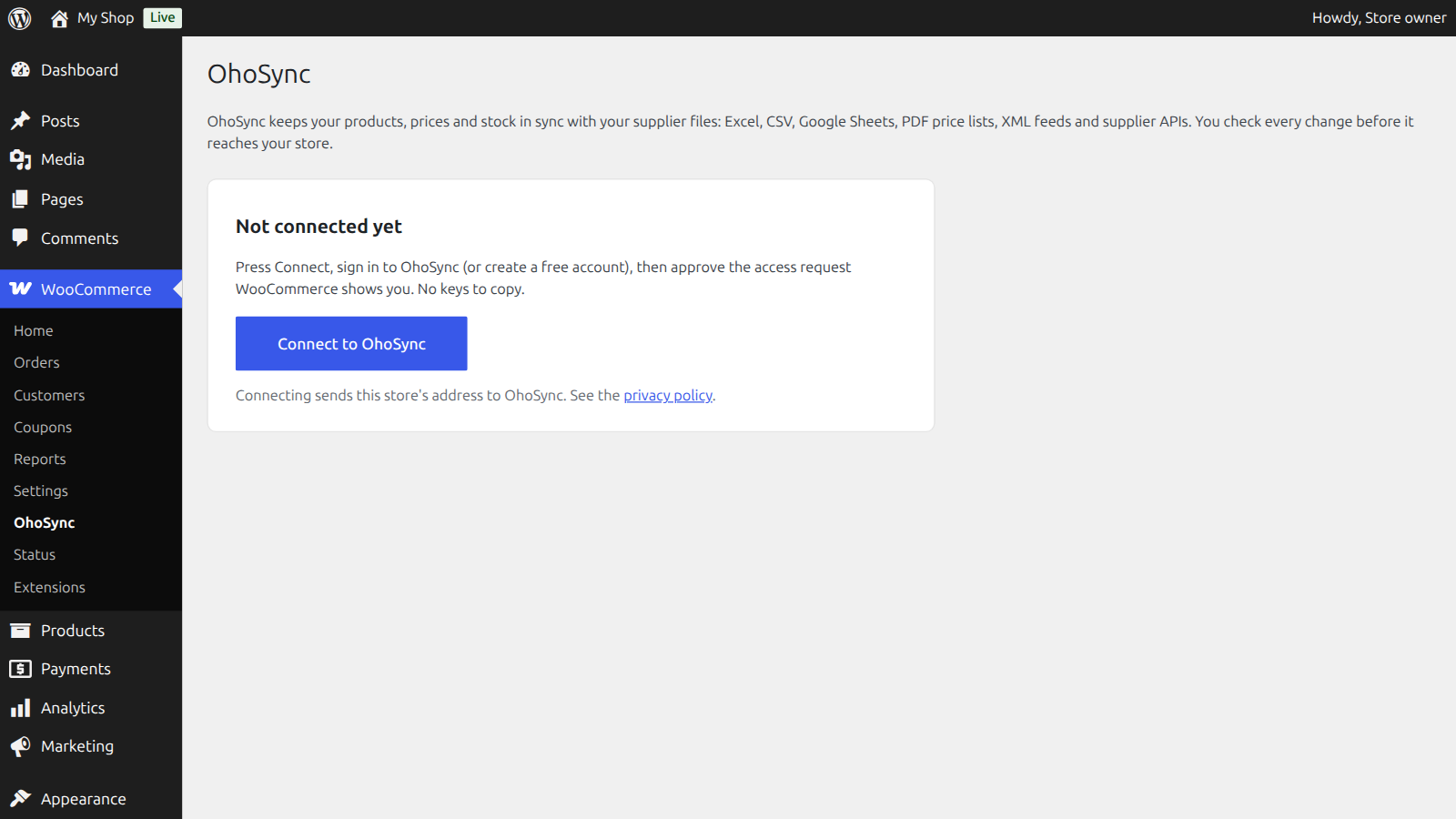
This plugin is the easy way in. It adds WooCommerce > OhoSync with one button:
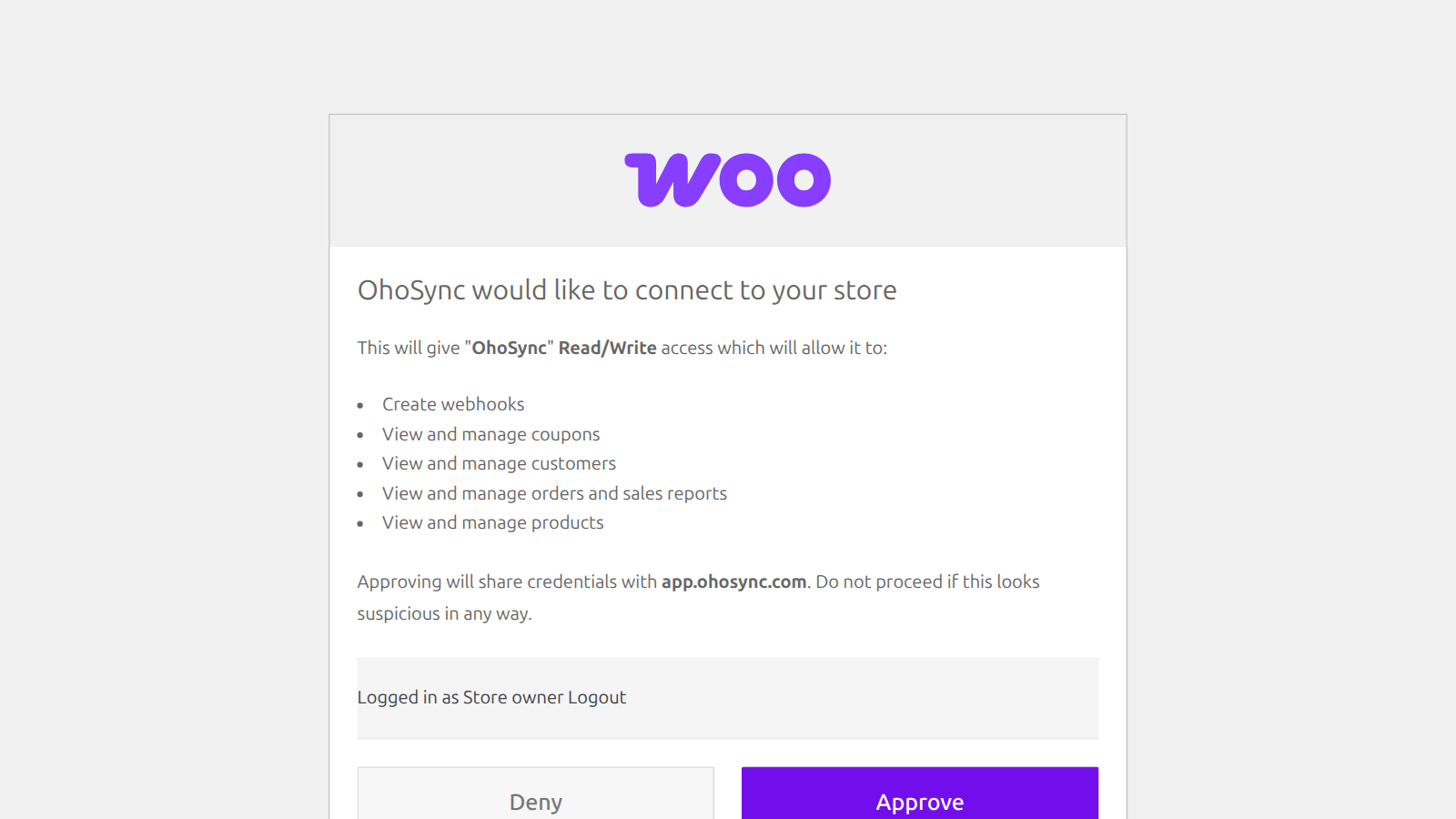
- Connect to OhoSync opens OhoSync with your store’s address filled in. Sign in (or create a free account), then approve the access request WooCommerce shows you. No API keys to copy.
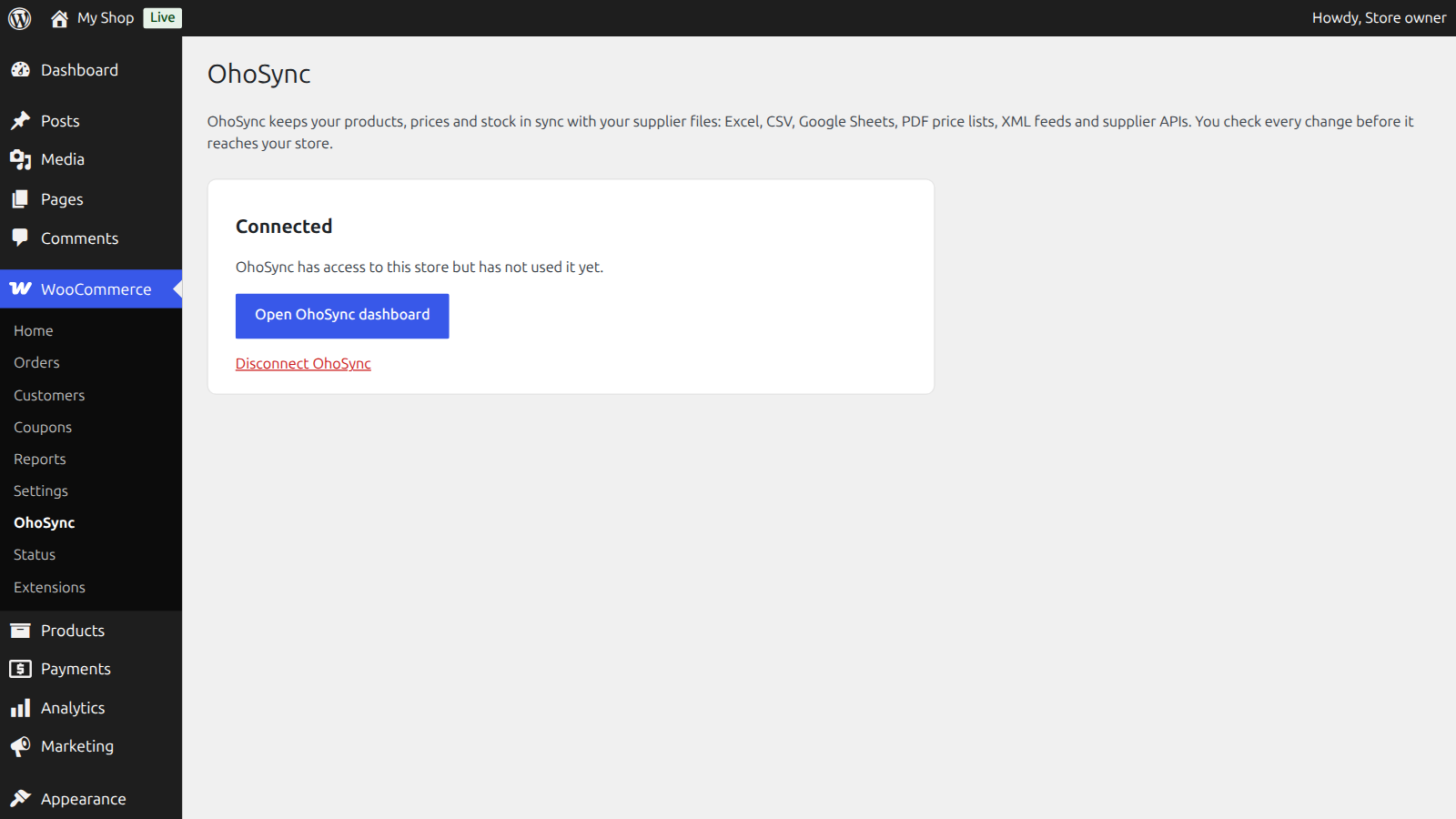
- See whether OhoSync is connected and when it last used its access.
- Disconnect at any time: the plugin removes OhoSync’s access key from your store.
The plugin itself stores nothing and adds nothing to your shop’s front end.
What OhoSync does
- Imports products from a supplier file, a feed URL or a supplier API, and keeps prices and stock updated.
- Applies your markup, rounding and minimum margin, with VAT handled the way your store is set up.
- Links products you already sell (same SKU) instead of creating copies.
- Shows what will change before anything is written, and never overwrites a field you locked.
OhoSync has a free Starter plan. Paid plans are described at ohosync.com/pricing.
External services
This plugin connects your store to OhoSync, an online service, to sync products, prices and stock.
- When you press “Connect to OhoSync”, your browser opens https://app.ohosync.com/connect/woo with your store’s address (your site URL) in the link. Nothing is sent before you press the button.
- When you approve the access request in WooCommerce, WooCommerce itself creates a REST API key with read and write access and sends it to OhoSync (https://app.ohosync.com/api/woo/connect/callback). This is WooCommerce’s standard app authorization; OhoSync stores the key encrypted.
- While connected, OhoSync uses that key to read and update products in your store. You can revoke it with “Disconnect” in this plugin, or under WooCommerce > Settings > Advanced > REST API.
Terms of service: https://ohosync.com/terms/
Privacy policy: https://ohosync.com/privacy/
Screenshots
Installation
- Install and activate the plugin (WooCommerce must be active).
- Go to WooCommerce > OhoSync.
- Press Connect to OhoSync, sign in or create an account, and approve the request WooCommerce shows.
Your store must use HTTPS.
FAQ
-
Do I need an OhoSync account?
-
Yes. You can create a free account when you press Connect.
-
What access does OhoSync get?
-
WooCommerce’s authorization screen lists it. OhoSync uses the key to read and update products, prices and stock. WooCommerce does not offer a products-only access level for this kind of connection.
-
How do I disconnect?
-
Press Disconnect OhoSync on WooCommerce > OhoSync. The access key is removed from your store immediately.
-
Does the plugin slow down my shop?
-
No. It only adds an admin page and runs nothing on your shop’s front end.
Reviews
There are no reviews for this plugin.
Contributors & Developers
“OhoSync for WooCommerce” is open source software. The following people have contributed to this plugin.
Contributors
Translate “OhoSync for WooCommerce” into your language.
Interested in development?
Browse the code, check out the SVN repository, or subscribe to the development log by RSS.
Changelog
1.0.0
- First release: one-click connect, connection status, disconnect.