

Description
WB Ad Manager is a powerful and easy-to-use ad management plugin for WordPress. It allows you to create and manage ads with multiple placement options, targeting rules, and supports BuddyPress, bbPress, and Jetonomy.
Key Features:
- Ad Rotation & A/B Comparison – Multiple ads rotate in same placement with weighted priority; side-by-side CTR comparison metabox with “winner” badge
- 5 Ad Types – Image, Rich Content, HTML/JS Code, Google AdSense, and Email Capture
- 16+ Placements – Header, Footer, Content, Paragraph, Sticky, Popup, Comments, Archive, Shortcode, Widget, BuddyPress, bbPress, Jetonomy
- Google AdSense – Native AdSense support with automatic script management and Auto Ads
- Email Capture – Inline newsletter/subscribe form with customizable colours, optional name field, hooks for Mailchimp / ConvertKit / webhook integrations
- Link Management & Cloaked URLs – Turn long, messy URLs like
amazon.com/gp/product/B07XYZ?ref=affiliate_123into clean, branded links on your own domain (e.g.yoursite.com/go/book). Every click is tracked, and you can group links into categories, set expiration dates for time-limited offers, and add SEO-correctrel=nofollow/rel=sponsoredattributes. Use the cloaked URL directly in your content or drop[wbam_link id="123"]Anchor text[/wbam_link]in any post. - Link Partnerships – Shortcode-driven inquiry form (paid link / exchange / sponsored post) with accept / reject admin workflow and auto emails
- BuddyPress Integration – Activity stream + 6 directory positions (members + groups)
- bbPress Integration – 7 positions (forums, topics, between replies with configurable frequency)
- Jetonomy Integration – 7 positions: sidebar (top / after About / bottom), after topic body, before/between/after replies (requires Jetonomy v1.3.0+)
- Geo-Targeting – Target ads by country using IP geolocation (ip-api.com, ipinfo.io, ipapi.co)
- Device Targeting – Desktop, tablet, or mobile specific ads
- Scheduling – Start/end dates, day-of-week, and time-of-day targeting
- Frequency Control – Limit ad impressions per session (cookie-based)
- Setup Wizard – Easy first-time configuration with sample ads + one-click demo-data cleanup
- REST API – 21 endpoints for ads, analytics, links, and partnerships
- Privacy & GDPR – IP anonymization, consent-gated AdSense, opt-in delete on uninstall
Ad Types:
- Image Ad – Banner images with link, alt text, and target options
- Rich Content – WYSIWYG editor for HTML content
- HTML/JS Code – Paste ad network code (custom scripts)
- Google AdSense – Native integration with auto script management
- Email Capture – Inline newsletter subscribe form as an ad type
Placements:
- Header (wp_head)
- Footer (wp_footer)
- Before/After Post Content
- After Paragraph X (with repeat option)
- Archive Pages (between posts)
- Sticky/Floating Ads (corners, bars)
- Popup/Modal Ads (time delay, scroll, exit intent)
- Comment Areas
- Shortcode
[wbam_ad id="123"] - Widget Areas
- BuddyPress Activity Stream
- BuddyPress Member/Group Directories
- bbPress Forums and Topics
- Jetonomy: Sidebar (top, after About, bottom), After Topic Body, Before/Between/After Replies
Targeting Options:
- Post types and page types
- Categories and tags
- Device type (desktop/tablet/mobile)
- User status (logged in/out)
- User roles
- Geographic location (country)
- Custom scheduling
Turn your site into a revenue engine with WB Ad Manager Pro
Free gets your ads on the page. WB Ad Manager Pro turns your site into an ad marketplace. Let advertisers sign up, pick a package, pay with their own wallet, and manage their own campaigns. You review, approve, and collect the revenue. Everything in the free plugin keeps working, with a full monetization layer added on top.
Who Pro is for:
- Niche publishers and bloggers who want to sell banner space to 3-5 regular sponsors without emailing back and forth every month.
- Community sites (BuddyPress, bbPress, Jetonomy) that want to sell classified listings, featured placements, or sponsored activity posts to members.
- Agencies managing ad inventory across multiple client sites that need reporting, audit logs, and per-advertiser share-of-voice.
- Directory and marketplace operators who want a full classifieds system with paid upgrades, seller profiles, and buyer-seller messaging built in.
Advertiser Portal:
Let advertisers sign up, submit ads, track performance, and manage billing themselves. You stay in control with a built-in review queue. Fourteen-tab self-service dashboard covering:
- Overview, My Ads, Campaigns, Classifieds, Inquiries
- Favorites, Following, Messages, Link Partnerships
- Wallet (credit balance and transaction history)
- Membership plans, Analytics, Share of Voice, Profile
Wallet, Credits, and Payments:
- Prepaid credit wallet for every advertiser with a hold -> deduct -> refund lifecycle (failed ads refund automatically)
- WooCommerce, Stripe, PayPal, and manual top-up integrations
- Full transaction ledger with audit trail and CSV export
- CPM, CPC, and flat-rate billing models
Campaigns and Packages:
- Publish ad packages (price, duration, impression cap) that advertisers buy in one click
- Campaigns with start/end dates, budget caps, and budget-aware pacing
- Per-advertiser session caps so one big spender cannot dominate every slot
- Subscription membership plans (monthly, quarterly, yearly) with listing limits and auto-renewal
Classifieds Marketplace:
- Full classified listings system with image galleries and custom fields
- Category and location taxonomies with sidebar filters and search
- Paid upgrades: Featured, Highlighted, Urgent, Bump to top
- Three price types: fixed, negotiable, free
- Buyer inquiry system, favorites and saved listings, seller profiles with reviews and ratings
Advanced Analytics and A/B Testing:
- Daily impression and click aggregation with time-series reports
- CTR and revenue reports with geo and device breakdowns, CSV export
- A/B testing with statistical significance and traffic splitting
- Slot inventory view (AdSense-style capacity overview across your whole site)
- Share of Voice analysis per advertiser
Advanced Link Management:
- Keyword auto-linking: the plugin turns mentions of your keywords into affiliate links automatically
- Link Scanner: finds monetization opportunities in your existing content
- Broken-link detection and redirect management
- CSV bulk import for links and keywords
- Advanced link analytics (referrer, device, country)
Community and Developer Extras:
- Enhanced BuddyPress integration: seller profiles in the member directory, activity stream for listings, following/favorites system
- Admin audit logs of every ad, credit, and campaign action
- Ad review queue with approval workflow
- Priority support from Wbcom Designs
Screenshots
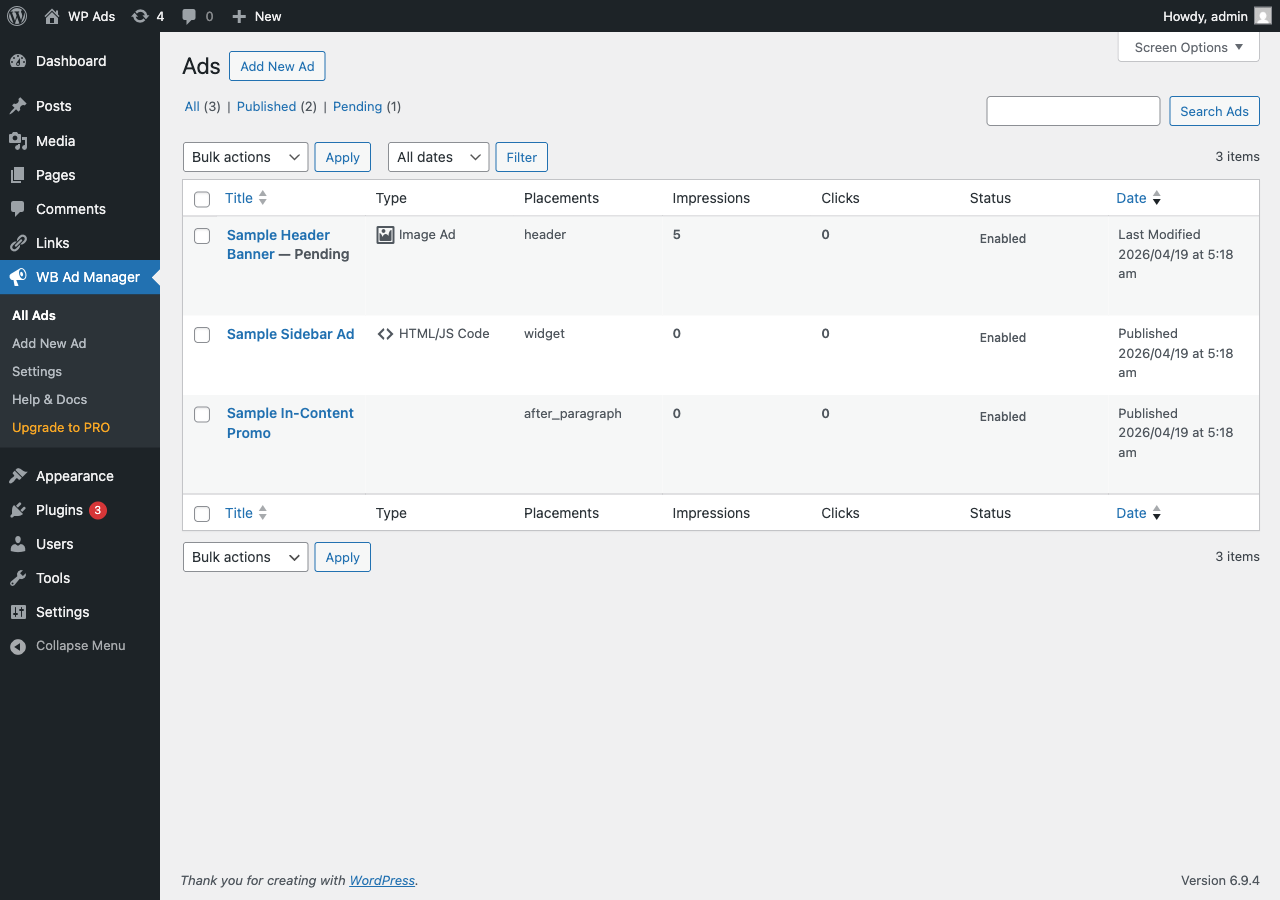
All Ads list. Impressions, clicks, placement, and status for every ad at a glance. 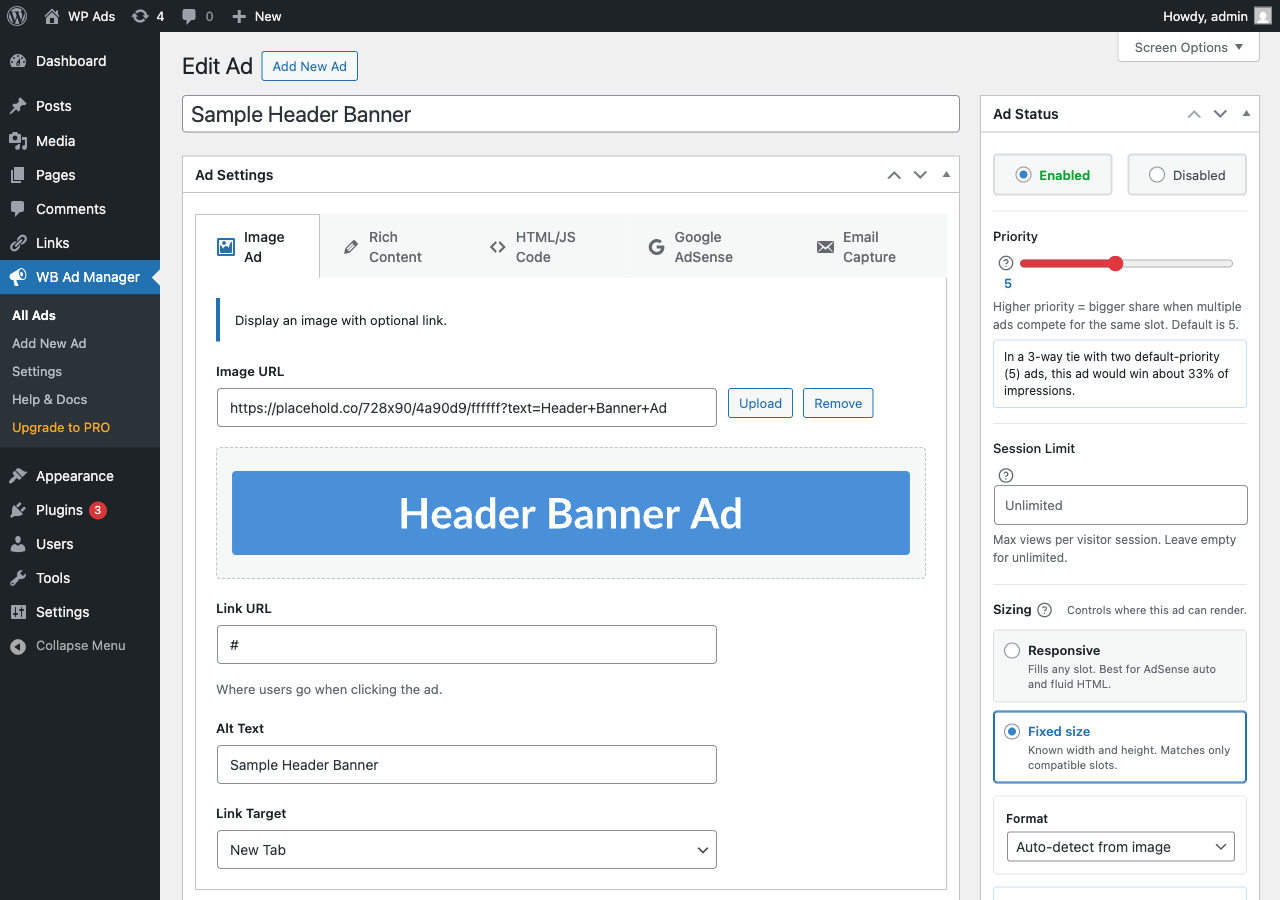
Ad editor. Five ad types (Image, Rich Content, HTML/JS Code, Google AdSense, Email Capture) with a weighted-priority slider, session-limit cap, and responsive/fixed sizing. 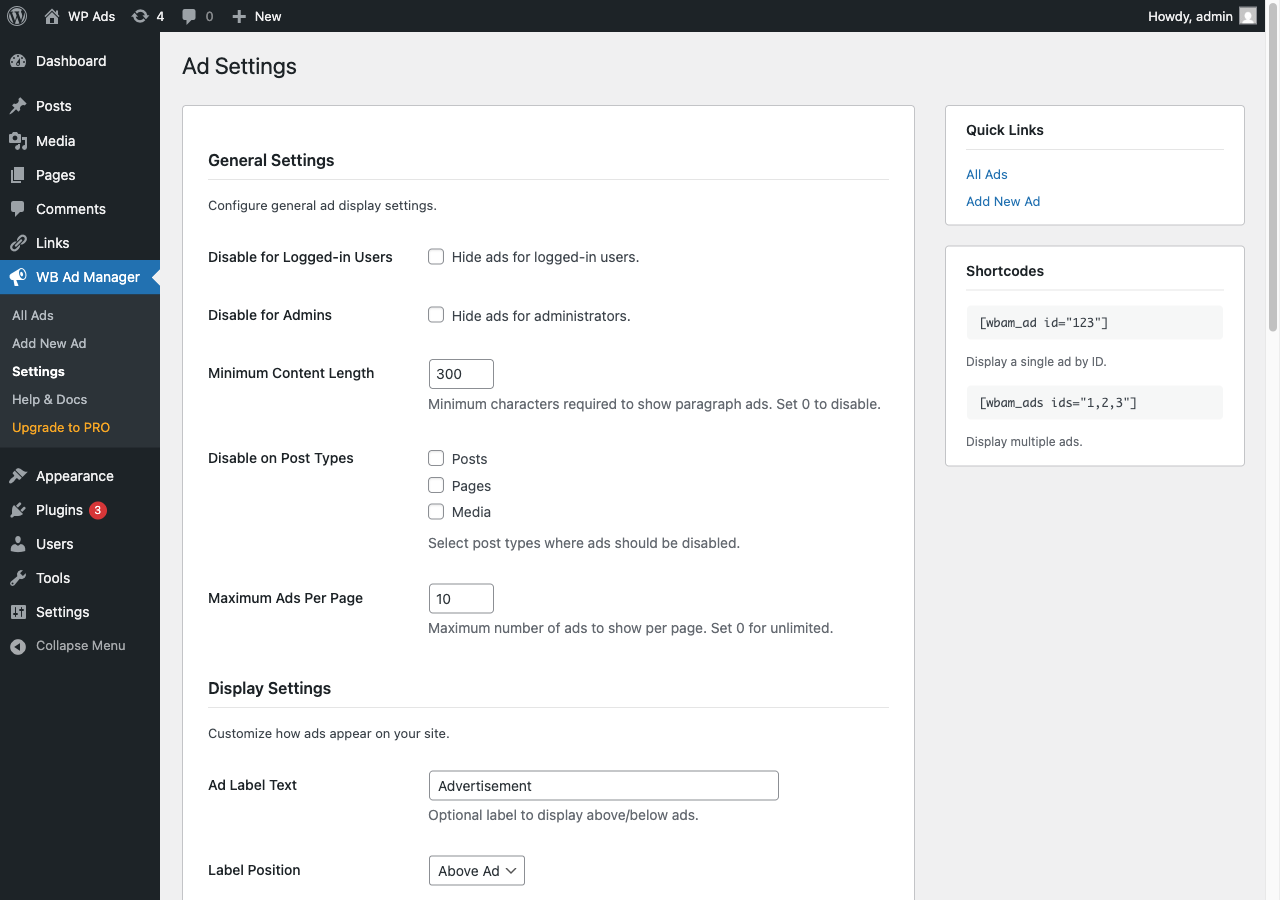
Settings page. General, display, performance, geo, AdSense, privacy, and advanced options in one place. 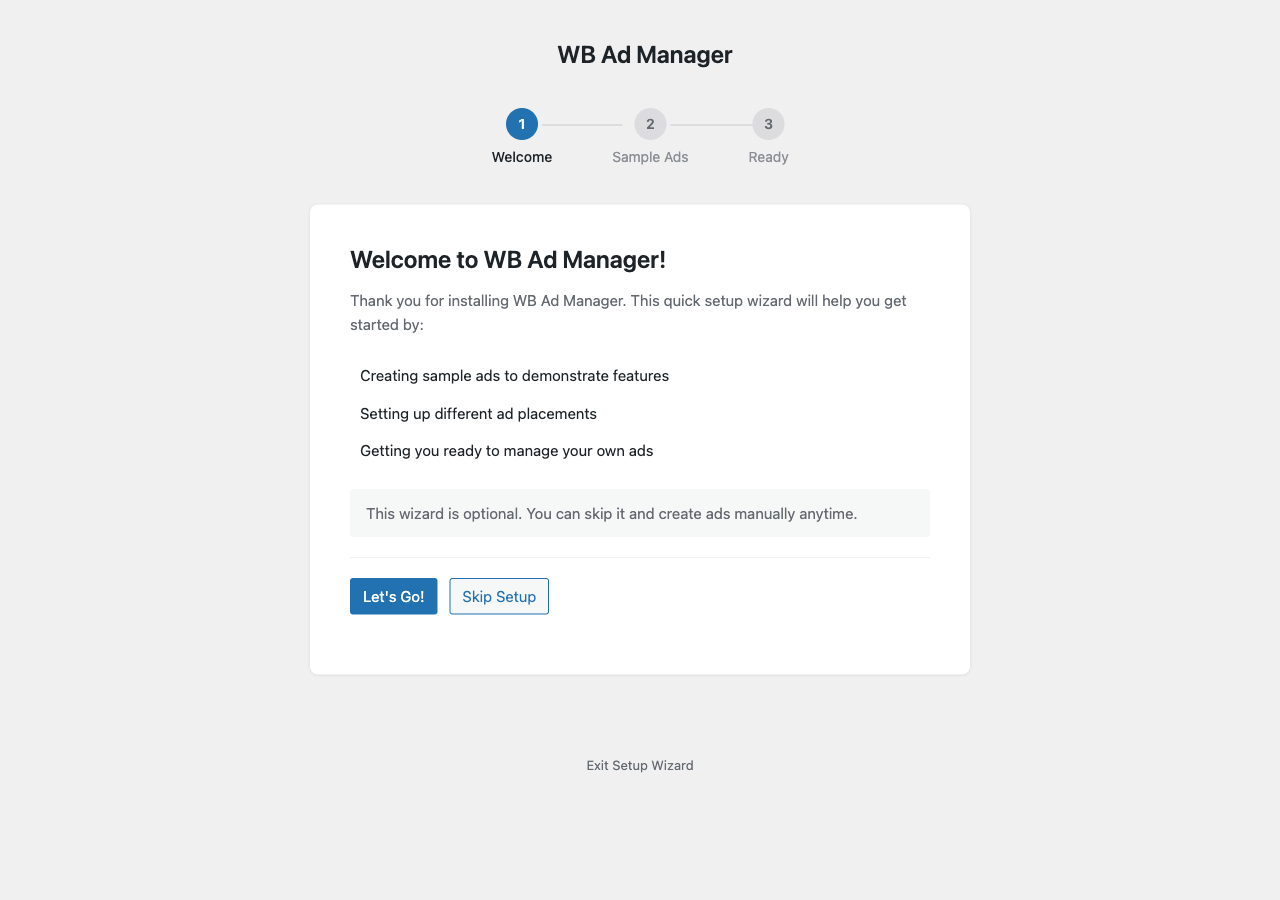
Setup Wizard. Three-step first-run flow that seeds sample ads so you see the plugin in action in under a minute. 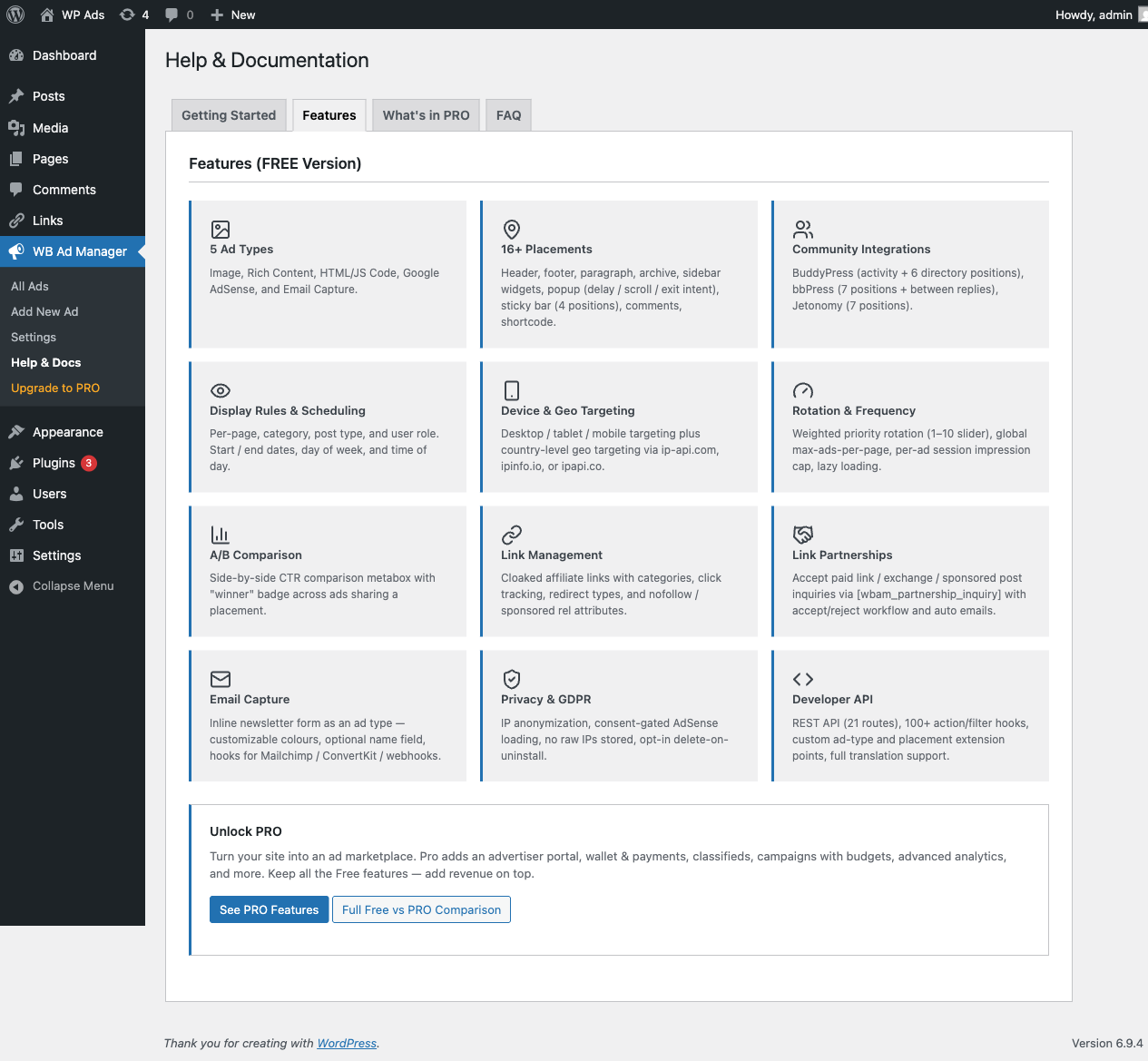
Help & Docs, Features tab. Full inventory of what the free plugin ships (5 ad types, 16+ placements, community integrations, A/B comparison, link partnerships, email capture, and more). 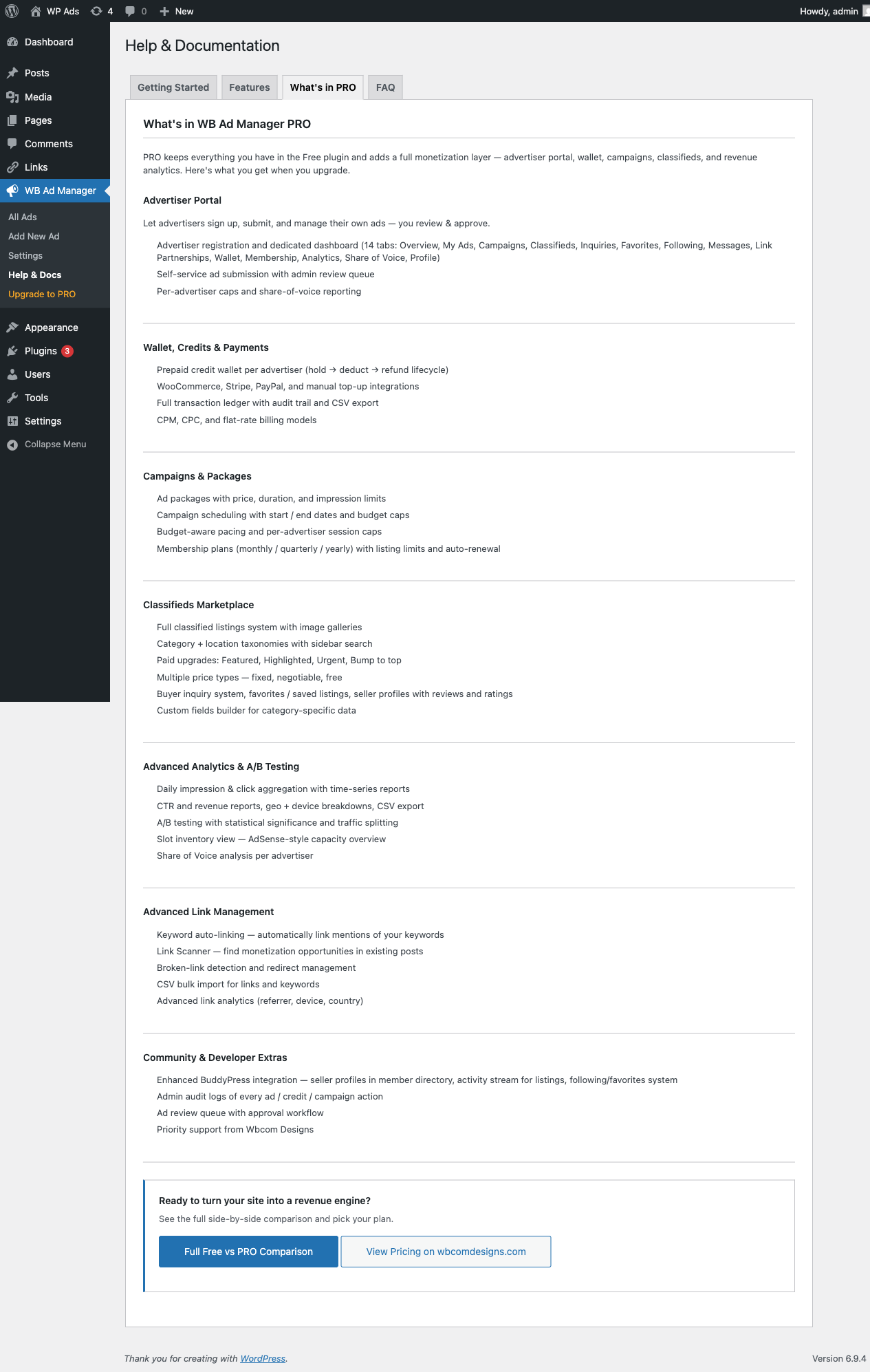
Help & Docs, “What’s in PRO”. Clear breakdown of Pro-only additions (advertiser portal, wallet, campaigns, classifieds marketplace, advanced analytics, link scanner). 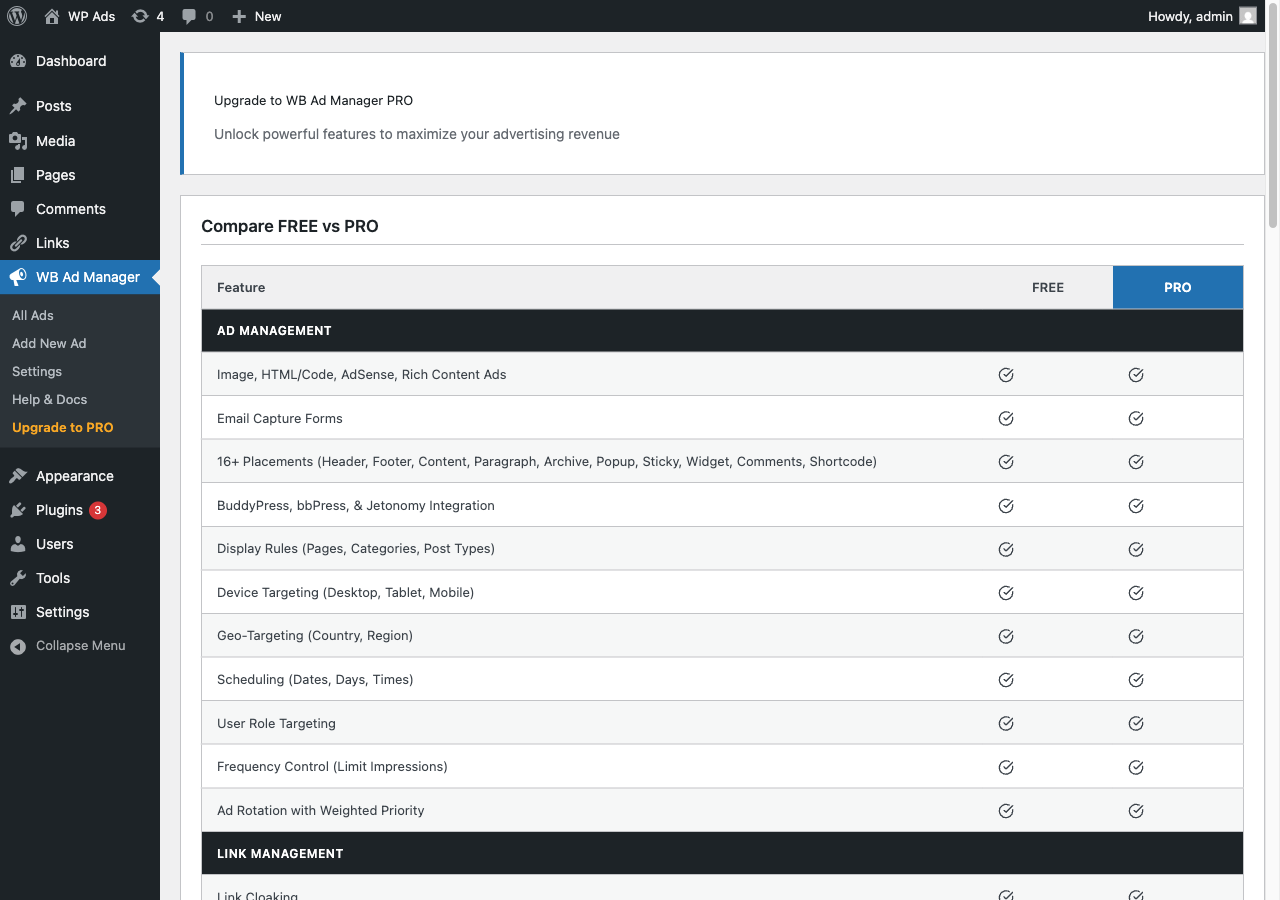
Free vs PRO comparison. Row-by-row feature table so you know exactly what you’re getting at each tier.
Installation
- Upload the plugin files to
/wp-content/plugins/wb-ad-manager/directory, or install through WordPress plugins screen. - Activate the plugin through the ‘Plugins’ screen in WordPress.
- Complete the Setup Wizard or go to WB Ad Manager menu to create your first ad.
FAQ
-
How do I create an ad?
-
Go to WB Ad Manager > Add New. Enter a title, select the ad type, add your content, choose placements, and publish.
-
How do I display an ad using shortcode?
-
Use the shortcode
[wbam_ad id="123"]where 123 is your ad ID. For multiple ads:[wbam_ads ids="1,2,3"] -
Does this plugin support Google AdSense?
-
Yes! WB Ad Manager has native AdSense support. Set your Publisher ID in Settings, then create AdSense ad types. The AdSense script is automatically managed and only loads once per page.
-
Does this plugin support BuddyPress?
-
Yes! If BuddyPress is active, you can display ads in activity streams, member directories, group directories, and use BuddyPress-specific widgets.
-
Does this plugin support bbPress?
-
Yes! If bbPress is active, you can display ads in forums, topics, and between replies.
-
Can I schedule ads?
-
Yes, you can set start/end dates, specific days of the week, and time-of-day ranges for each ad.
-
What geo-targeting providers are supported?
-
The plugin supports ip-api.com (free), ipinfo.io (free tier), and ipapi.co for IP geolocation.
Reviews
There are no reviews for this plugin.
Contributors & Developers
“Wbcom Designs – WB Ad Manager” is open source software. The following people have contributed to this plugin.
Contributors

Translate “Wbcom Designs – WB Ad Manager” into your language.
Interested in development?
Browse the code, check out the SVN repository, or subscribe to the development log by RSS.
Changelog
2.8.0
- New: Jetonomy integration module with 7 placement positions: sidebar (top / after About card / bottom), after topic body, before / between / after replies. Requires Jetonomy v1.3.0+.
- New: Admin notice suggesting Jetonomy installation when not detected, with direct link to https://store.wbcomdesigns.com/jetonomy/
- New: REST API (21 routes across ads, analytics, links, partnerships) and WordPress Abilities API (15 abilities)
- New: Full Lucide icon migration across admin and frontend. Replaces dashicons with a consistent icon set that renders at any size without pixelation
- New: Semantic CSS token layer with theme.json inheritance and prefers-color-scheme dark-mode override across 9 stylesheets. Plugin now re-skins automatically to the active theme’s palette
- New: Email Capture ad type documented and surfaced. Inline newsletter subscribe form with customisable colours, optional name field, and wbam_email_captured action for Mailchimp / ConvertKit / webhook integrations
- New: Link Partnerships admin module. [wbam_partnership_inquiry] shortcode, admin list with accept/reject workflow, automatic email notifications, 24-hour duplicate-submission window
- New: Before Archive / After Archive placements (loop_start / loop_end)
- New: Six BuddyPress directory placements. Before / between / after members and before / between / after groups
- Improvement: Third-party admin notices are now suppressed on WB Ad Manager screens only (keeps your own notices intact, other admin pages unaffected)
- Improvement: Setup wizard is now fully self-contained. Renders correctly regardless of the active theme or admin-chrome state
- Fix: WordPress.org hardening pass. Zero PCP errors on clean dist, all admin $_POST / $_GET reads wrapped in wp_unslash() before sanitization
2.7.0
- Improvement: Updated translation strings
- Compatibility: Tested up to WordPress 6.9
2.6.0
- New: Complete rewrite of upgrade page with comprehensive Free vs Pro comparison
- New: 47 features across 9 sections (Ad Management, Link Management, Advertiser Portal, Payments, Analytics, Classifieds, Developer, Support)
- Improvement: Add CSS variables with multi-theme dark mode support to partnership form
- Improvement: Frontend CSS for link shortcodes ([wbam_link] and [wbam_links])
- Improvement: Comprehensive documentation with screenshots
- Fix: Distribution excludes development files
- Dev: Updated POT file for translations
2.5.0
- Fix: Add GDPR privacy helper for IP anonymization in frequency tracking
- Fix: Frequency tracking now properly calls track_impression via wbam_ad_output filter
- Improvement: Add npm scripts for build/dist/watch commands
- Improvement: Fix Gruntfile makepot config for correct plugin name
- Improvement: Add future roadmap for planned features
- Dev: Update POT file for translations
2.4.0
- Security: GDPR compliance – stop storing raw IP addresses in analytics
- Security: Add user-based rate limiting to AJAX handlers
- Security: Add capability check to setup wizard dismiss handler
- Security: Document security model for unescaped ad output in placements
- Security: Add security measures for code ad type
- Performance: Add object caching for placement ad queries
- Performance: Cache table existence checks to avoid repeated queries
- Fix: Impressions not being recorded properly
- Fix: Image upload/remove button functionality
- Fix: Paragraph placement HTML corruption with preg_replace_callback
- Fix: wp_send_json_error signature and add missing HTTP status codes
- Fix: Raw $_POST passed to hooks before sanitization
- Fix: Geo targeting UI simplified with single mode selector
- Fix: Device detection reliability improvements
- Fix: Image ad UI with proper container width constraints
- Fix: Display Rules UI clarity and organization
- Fix: Specific Pages dropdown now only shows pages
- Fix: 16 additional bugs from comprehensive audit
- New: Comprehensive marketing materials included
2.0.0
- Complete rewrite with modern architecture
- Ad rotation and split testing with weighted priority system
- 4 ad types: Image, Rich Content, Code, Google AdSense
- 14+ placement options including sticky, popup, and comment ads
- Google AdSense integration with Auto Ads support
- BuddyPress integration (activity stream, directories, widgets)
- bbPress integration (forums, topics, replies)
- Geo-targeting with 3 IP providers
- Device, schedule, and user targeting
- Frequency control and ad priority
- Setup wizard with sample ads
- Full internationalization support
- PSR-4 style namespaces and modular architecture
1.0.0
- Legacy version